Mobile Screen Mirroring For BGMI/Free fire/COD With in-Game Voice Chat (Android)
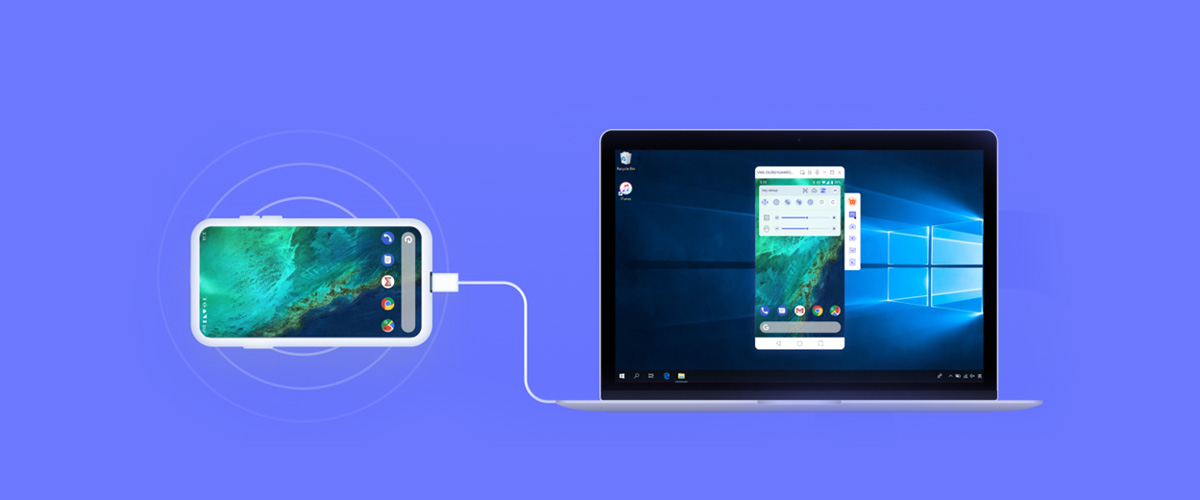
One of the biggest challenges for mobile gamers is transferring their phone's screen and audio to their PC/laptop without any delays. Another challenge is in-game voice chat while mirroring. Currently, there are many apps available in the market for screen mirroring, which easily mirror your phone's screen to PC/laptop, they charging some money for yearly subscriptions, but there is always a problem is that (In-Game Voice Chat) while mirroring as soon as you turn on the Game mic, the game sound stops mirroring and the sound starts coming directly from the mobile. But the Android developers have already provided a solution for this, which you can find in Settings - Developer Mode. If I say that you can mirror your mobile's audio/video and engage in in-game voice chat by connecting a Bluetooth neckband/buds to the mobile, and this is possible with a simple (Scrcpy) file.
Scrcpy:Android Mirroring to pc/Laptop
scrcpy is a free and open-source utility that allows you to mirror and control your Android device from your pc/Laptop (Windows, macOS and Linux). It is highly favored for its low latency and high performance.
Key Features and Advantages
No App Installation Required: It runs a server natively on the android device via the android debug bridge (ADB) and requires no application to be installed on the phone itself.
High Performance: It focuses on high-efficiency screen mirroring offering:
Low Latency: Typically between 35-70ms for an ultra-smooth, almost real time experience
High Quality: Supports resolutions of 1920x1080 or above and frame rates up-to 30-120fps(or even higher on some devices/configurations)
Connection Options: You can connect via a USB cable (recommended for best performance) or wirelessly over TCP/IP (Wi-Fi), which typically requires a few extra setup steps
Non-Intrusive: It leaves nothing installed on the device and no required root access
➡️ ANDROID TO Desktop/Laptop (Mirroring for Livestream)
Best Option: Scrcpy (FREE, No Watermark, Ultra Low Latency)
Perfect for Livestream because it has almost Zero Lag
How to Setup Scrcpy for Mirroring
1. Download Scrcpy File:
Window 64 :- https://kineticaj.in/home/download/scrcpy_win_64
Window 32 :-https://kineticaj.in/home/download/scrcpy_win_32
2. Extract The Zip Folder
3. On Your Android Phone
Go to Settings - About - Tab Build Number multiple Times (To Enable Developer Mode)
Go to Developer Options - USB Debugging - Enable
4. Connect Your Phone With USB Cable
5.Run Scrcpy.exe
6.The Phone Screen Appears on your Pc/Laptop
How To Use in Livestream
Open OBS Studio
Add Window Capture
Select the Scrcpy Window
Resize it in your Stream Layout